
For pharmacies
Your pharmacy online, with each branch’s stock in plain sight
Each product with its active ingredient, its laboratory and its sale condition. Customers see which branch has it, pick it up today or get it delivered, and a pharmacist checks the prescription before preparing the order.
Sound familiar?
- “Do you have it at your branch?” on the phone, all day long
- A website that asks for your location before you can buy
- Antibiotics sold without asking for the prescription
- Searches that can’t find by active ingredient
How it works, step by step
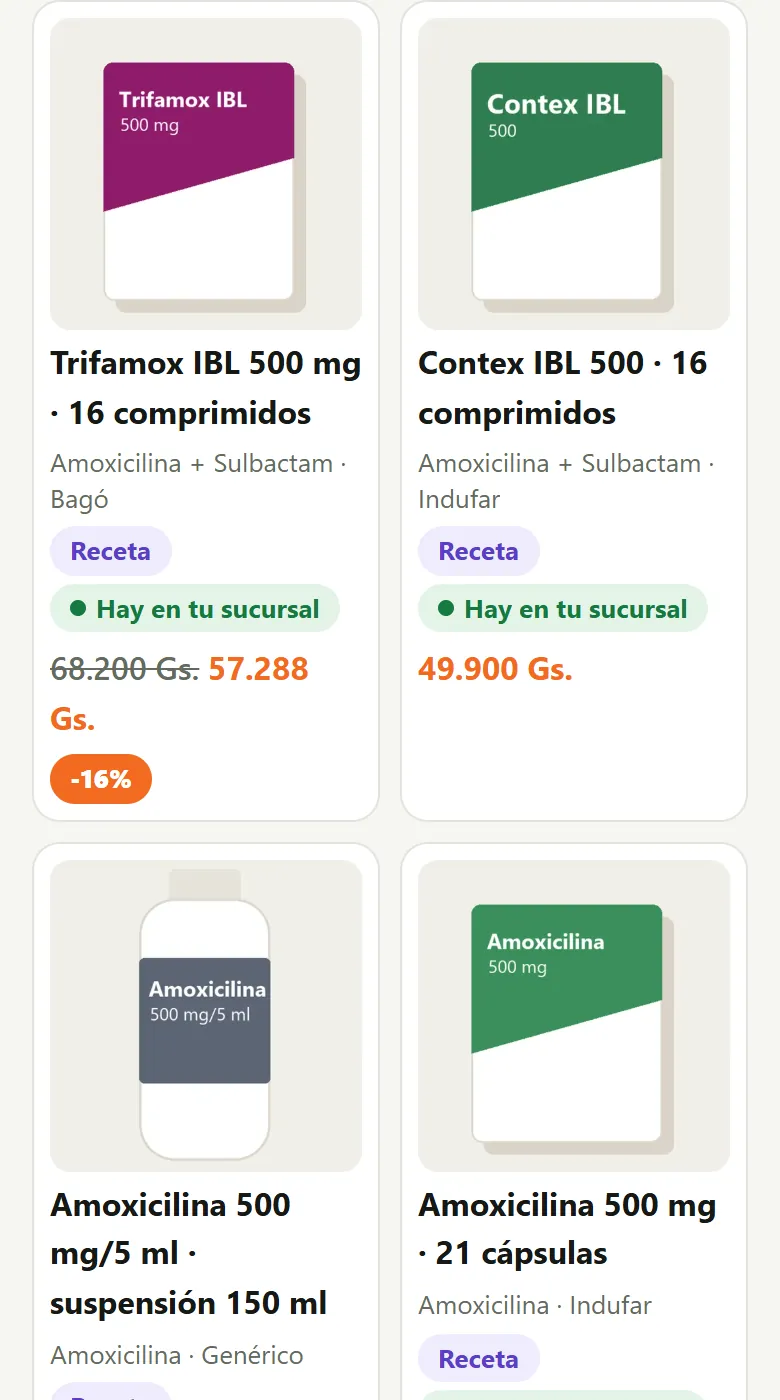
Search by active ingredient
Name, active ingredient, laboratory or what it’s for, accents or not.
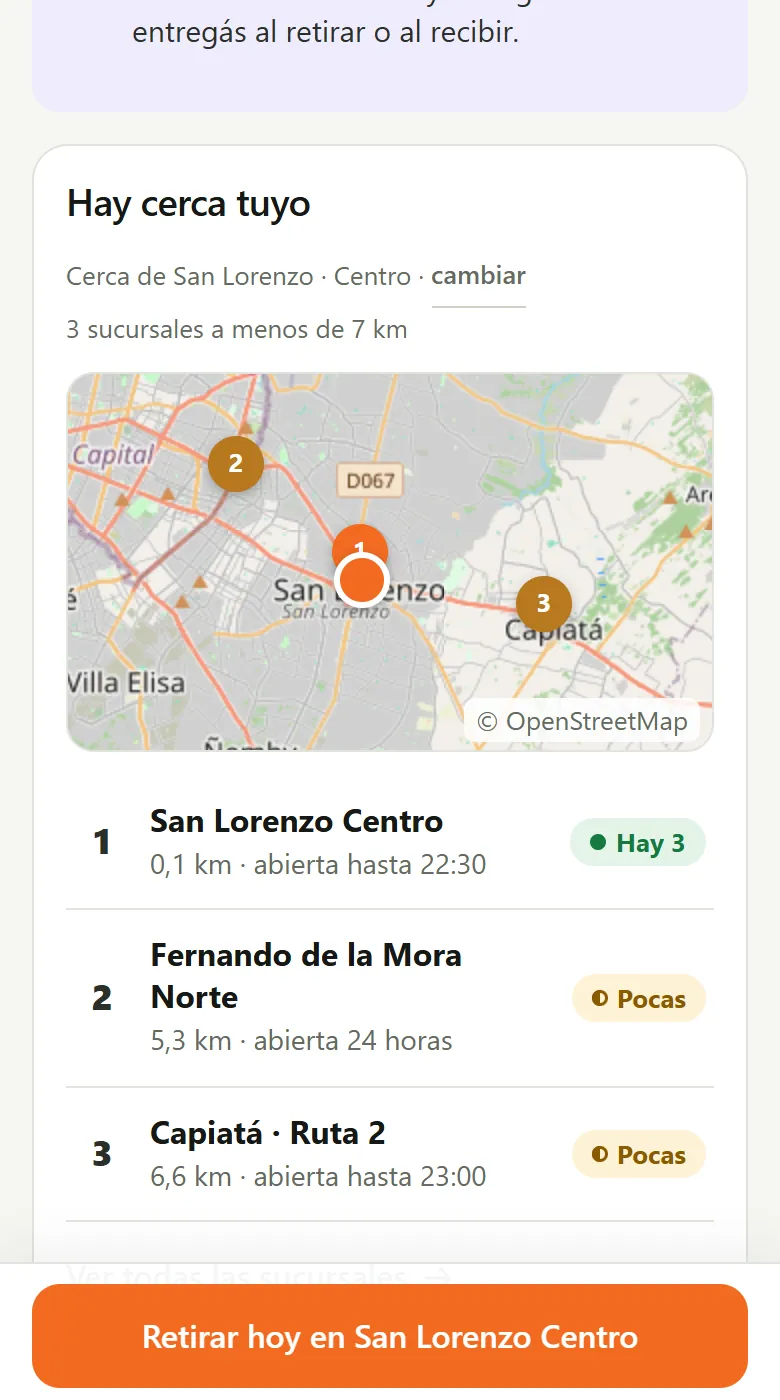
Where is it in stock?
The nearest branches with “In stock”, “Few left” or “Out of stock”, without asking for permissions.
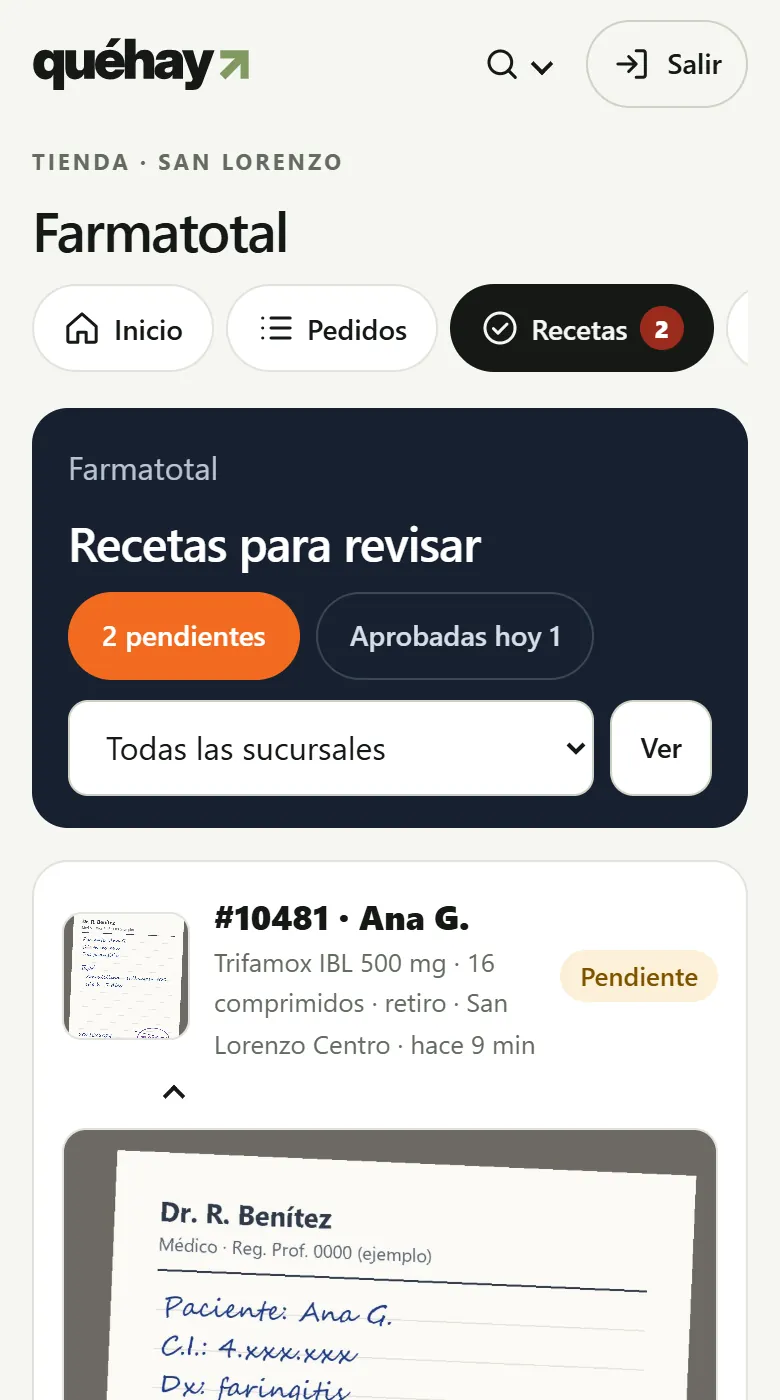
Prescription by photo
The pharmacist approves, asks for another photo or rejects, and it’s all on record.
Real screenshots with demo data.
What's specific to your business type
Search by active ingredient
And by laboratory or symptom.
Stock by branch
With hours, phone and “open now”.
Prescription by photo
At checkout, without creating an account.
Pharmacist’s queue
Who, when and with which photo.
Controlled medicines
Reserve-only: they’re sold at the counter.
Excel import
The catalog from your system, all at once.
Comes turned on: Branches and warehouses, Own stock by branch, Prescriptions, Excel import. Plus what every store gets: online store and your own website, WhatsApp and Instagram with nothing to connect, register and stock, orders and quotes.
Frequently asked questions
Does the customer have to share their location?
No: they choose their neighborhood or city, or type an address, and see the nearest branches.
Can controlled medicines be sold online?
No: they’re listed and reserved; they’re sold at the counter with the special prescription.
Do I need to buy equipment?
No. You use the PC, tablet or phone you already have, right from the browser.
Does the money go through QuéHay?
No. You get paid by transfer to your account, in cash or with your POS.
Start today
Start for free. Your store is ready for pharmacies from day one. Check out the tutorials for your business type.